Run all your content,
across every app you own.
Videos, ads, hooks, SEO articles, scripts — generated, scheduled, and published to your blog and socials from one command center, with an AI agent that knows every brand you own.
You're running three products. And ten content tools.
Every app needs videos, ads, captions, and a posting schedule. So you're juggling brand guidelines in your head, copy-pasting between disconnected tools, and content is always the thing that slips.
Scattered across tools
A video app here, a caption tool there, a spreadsheet for scheduling. Nothing knows your brand, so you re-explain it every time.
It eats your week
Content is the highest-leverage thing for growth — and the first thing to slip when you're shipping product.
Off-brand, every time
Generic AI output doesn't know Famsies sounds nothing like ConvoNest. So you rewrite everything by hand anyway.
Everything your brands need, in one place
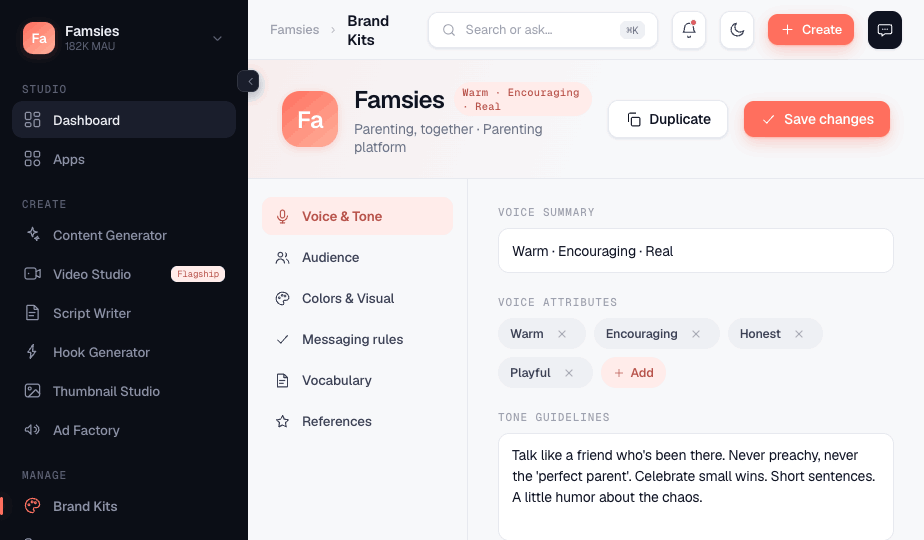
Each app gets its own brain. Generate on-brand content, schedule it, and see what's working — without leaving the workspace.
A dedicated brain for every app
Voice, audience, colors, approved CTAs, and an avoid-words list — defined once per brand. Every generation respects it automatically.
- On-brand output without re-prompting
- Approved / avoid vocabulary enforced
- Switch brands in one click
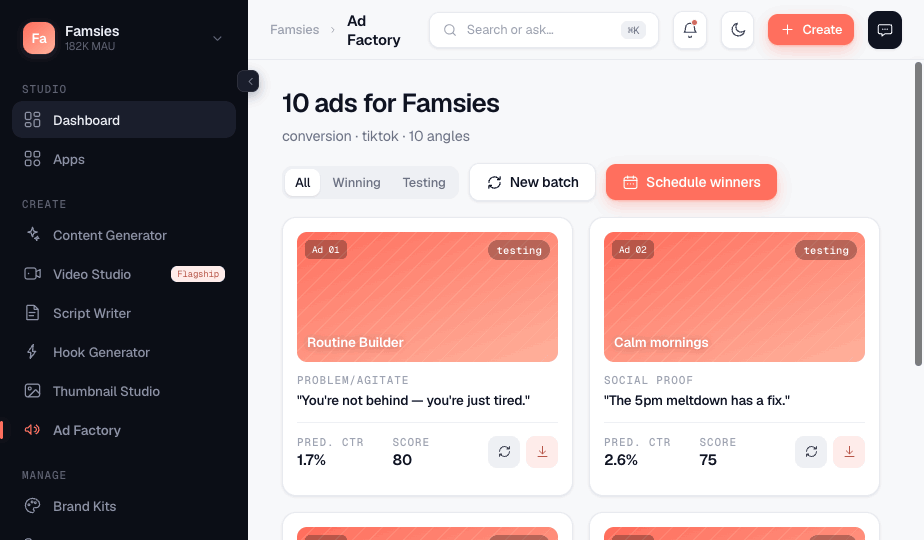
Generate videos, ads, hooks & more
A guided generator, a flagship Video Studio, and an Ad Factory that spins up 5–50 ad variations at once — each with predicted performance.
- Image → motion → export video
- 50 ad angles in a single batch
- Scripts, hooks, thumbnails & captions
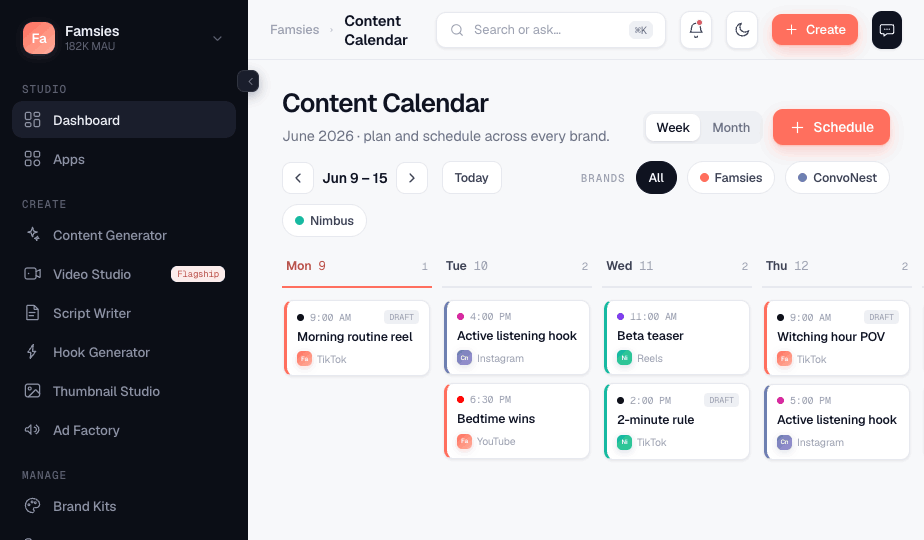
Plan it, post it, and see what works
Drag-and-drop a calendar across every brand, auto-post to Facebook, Instagram & YouTube, push articles live to WordPress, Webflow or Shopify — then compare performance side by side, app by app.
- One calendar for all your apps
- Auto-posting to your connected socials
- Live publishing to your blog & store
- Brand-vs-brand performance
An SEO engine that compounds while you ship
Plan topic clusters around what your customers actually search, generate pillar pages and supporting articles in your brand's voice, and score every page for on-page SEO before it ships — with schema markup built in. Automate creation, never judgment: everything passes your review queue first.
- Topic clusters mapped to search intent & funnel stage
- Transparent SEO score & JSON-LD schema on every page
- Human review queue before anything goes live
- Publishes to your blog, store, or hosted pages
An AI agent that runs your studio with you
Not a chatbot — an agent. It reads your real workspace (calendar, queue, campaigns, analytics), drafts and schedules content, and publishes for you. Every action pauses for your approval before it runs.
- Knows each brand's voice, rules & readiness
- Generates, schedules & publishes on command
- Nothing runs without your explicit approval
- Included on every paid plan
Built for founders running more than one thing
If you operate a portfolio of apps, products, or brands — and content is the bottleneck — this is your command center.
Start free. Scale as you grow.
Every plan includes monthly credits you spend on generations. Video costs more than text — you only pay for what you create.
- Up to 5 brands
- Studio Assistant agent
- Video Studio + Ad Factory
- Auto-posting & live publishing
- Analytics & scheduling
- Everything in Pro
- Unlimited brands
- 3 team seats
- Priority generation
- 10 seats + SSO
- API access
- Dedicated support
Annual billing saves two months. Credits roll over on paid plans.
Questions, answered
How credits, the assistant, and publishing actually work.
What are credits and how do they work?
How does the Studio Assistant charge credits?
Does the assistant do things without asking me?
What happens if I hit a rate limit or the AI is busy?
What is Growth OS?
Where can BrandFleet publish?
Can I change plans anytime?
Is my brand data used to train AI models?
Your whole content operation,
in one workspace.
Set up your first brand in two minutes. Start creating today.